Understanding Payment Gateway Basics
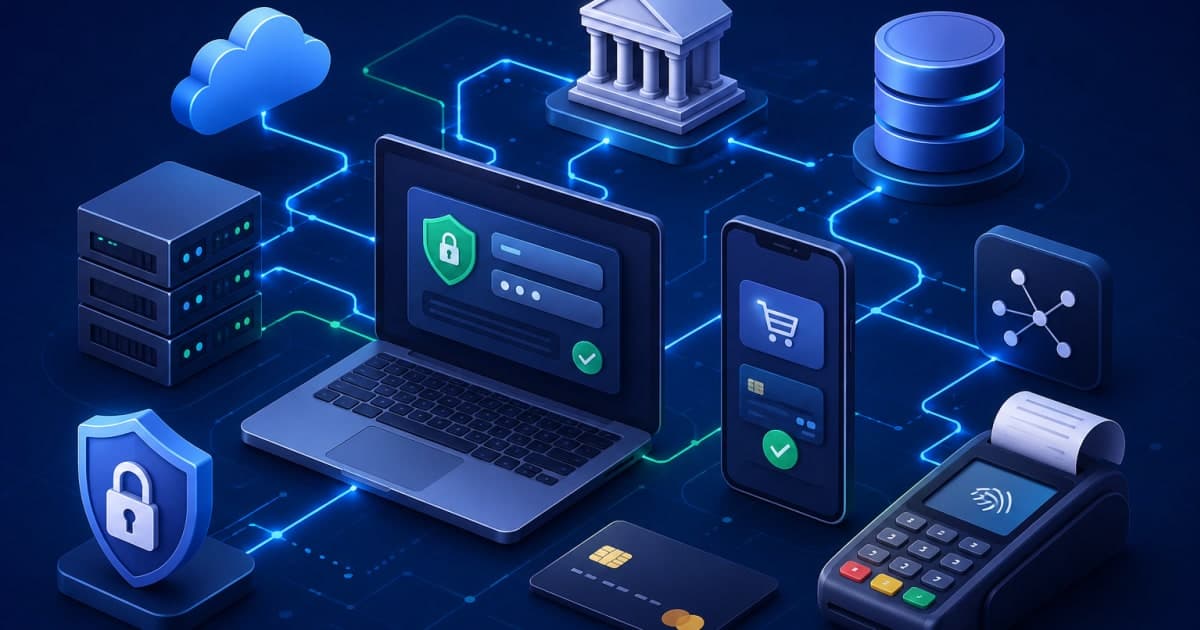
A payment gateway is the digital bridge that connects a merchant’s website or app to the financial networks that process card payments. When a customer enters their card details, the gateway encrypts the data, forwards it to the issuing bank, receives a response, and relays that back to the merchant. In essence, the gateway is the front‑end of the payment ecosystem, while the back‑end includes acquiring banks, card networks, and settlement systems.
Key concepts you need to grasp before you start building:
Authorization – the temporary hold placed on a customer’s card for a specific amount.
Capture – the final step that transfers the authorized amount to the merchant’s account.
Settlement – the batch process that moves funds from the issuing bank to the acquiring bank.
Refund / Chargeback – mechanisms for reversing a transaction, often triggered by disputes.
Tip: Keep the customer journey in mind from the first click to the final receipt. A frictionless flow reduces cart abandonment and increases conversion rates.
Planning Your Gateway Architecture
Before writing a single line of code, you must design a robust architecture that can scale, handle failures, and stay compliant.
1. Layered Design
Presentation Layer – UI components or mobile SDKs that collect payment data.
API Gateway – a single entry point that routes requests to micro‑services.
Business Logic Layer – services that handle validation, fraud checks, and transaction orchestration.
Integration Layer – adapters for card networks, banks, and alternative payment methods.
Data Layer – secure storage for transaction logs, customer tokens, and audit trails.
2. Micro‑services vs Monolith
For high‑traffic merchants, a micro‑service architecture allows you to deploy and scale components independently (e.g., fraud detection can scale without touching the core payment service). However, a monolith can be simpler to start with and still meet performance needs if you design carefully.
3. Choosing Technology Stack
Layer | Suggested Stack | Why It Fits |
|---|---|---|
API Gateway | Node.js with Express, Fastify | Lightweight, async I/O |
Business Logic | Java or Go | Strong type safety, concurrency |
Integration | Python for third‑party SDKs | Rapid prototyping |
Data | PostgreSQL + Redis | ACID compliance + caching |
Note: Avoid using deprecated languages like PHP for new services unless you have a legacy codebase that needs to be maintained.
4. Data Flow Diagram (textual)
[Customer] -> [Front‑End SDK] -> [API Gateway] -> [Business Service]
      |                                            |
      +----> [Fraud Service] <---------------------+
      |                                            |
      +----> [Bank Adapter] <---------------------+
      |                                            |
      +----> [Token Store] <---------------------+
Setting Up Merchant Accounts and Acquiring Banks
A gateway alone cannot accept payments; you must partner with a merchant account provider (often an acquiring bank). This section outlines the steps to secure these relationships.
1. Evaluate Acquiring Partners
Fees – interchange, assessment, and gateway fees.
Supported Cards – Visa, MasterCard, Amex, etc.
Payout Frequency – daily, weekly, or monthly.
2. Sign the Merchant Agreement
The agreement will detail:
Compliance requirements (PCI DSS, KYC).
Dispute handling – timelines and responsibilities.
Data retention policies.
3. Obtain API Credentials
Public Key / Private Key – for signing requests.
Merchant ID – unique identifier for your account.
Endpoint URLs – sandbox vs production.
4. Sandbox Environment
Most banks provide a sandbox that mimics real transactions. Test all flows authorization, capture, refunds before going live.
5. Tokenization
Replace raw card numbers with tokens to reduce scope of PCI compliance. Store only the last four digits and token metadata.
Implementing Core Payment Processing Logic
Now that you have the infrastructure, it’s time to write the code that actually moves money.
1. API Design
POST /v1/transactions
Content-Type: application/json
Authorization: Bearer <api_key>

{
  "amount": 4999,
  "currency": "INR",
  "payment_method": {
    "type": "card",
    "token": "tok_abc123"
  },
  "customer_id": "cust_456"
}
Use JSON for request/response payloads.
Sign the request with a HMAC using your secret key.
Return a transaction ID and status.
2. Validation Pipeline
Schema Validation – use a JSON schema validator.
Business Rules – check amount limits, currency support.
Fraud Checks – IP reputation, velocity, device fingerprint.
3. Orchestrating the Flow
func ProcessTransaction(tx *Transaction) (*Response, error) {
    if err := validate(tx); err != nil {
        return nil, err
    }

    // Step 1: Authorize
    authResp, err := authorize(tx)
    if err != nil {
        return nil, err
    }

    // Step 2: Capture (if immediate)
    if tx.CaptureNow {
        capResp, err := capture(tx, authResp)
        if err != nil {
            return nil, err
        }
        tx.Status = "captured"
        tx.TransactionID = capResp.ID
    } else {
        tx.Status = "authorized"
        tx.TransactionID = authResp.ID
    }

    // Persist transaction
    if err := store(tx); err != nil {
        return nil, err
    }

    return &Response{TransactionID: tx.TransactionID, Status: tx.Status}, nil
}
4. Error Handling Strategy
Error Code | Meaning | Action |
|---|---|---|
400 | Bad Request | Notify customer to correct input |
402 | Payment Required | Retry with alternative method |
403 | Forbidden | Log and alert security team |
500 | Internal Server Error | Trigger rollback, alert ops |
Tip: Use a retry‑backoff algorithm for transient network failures.
Ensuring Security and Compliance
Security is non‑negotiable. Without it, you risk fines, reputational damage, and legal liabilities.
1. PCI DSS Compliance
Scope – limit the scope to only the components that handle card data.
Encryption – TLS 1.2 + for all external communications.
Storage – never store PAN (Primary Account Number). Use tokenization.
Access Controls – role‑based access, MFA for admins.
2. Tokenization & Vaulting
Store sensitive data in a hardware security module (HSM) or a managed key‑management service. The tokenization service should be isolated from the rest of the application.
3. Monitoring & Logging
Log all transaction attempts, including timestamps and IPs.
Mask sensitive fields (e.g., last four digits).
Use a SIEM to correlate anomalies.
4. Incident Response
Define an incident playbook.
Conduct quarterly tabletop exercises.
Ensure you have an incident response team that includes developers, security, and legal.
5. Regulatory Considerations
GDPR – if you handle EU customers, ensure data minimization.
India’s Payment Card Industry Data Security Standard (PCI DSS) – adhere to the latest Indian RBI guidelines.
Testing, Deployment, and Monitoring
A payment gateway must be battle‑tested before it goes live. Follow a disciplined approach.
1. Unit & Integration Tests
Mock external bank APIs.
Test edge cases: insufficient funds, expired cards, network timeouts.
2. End‑to‑End (E2E) Tests
Simulate real customer flows in the sandbox.
Verify that receipts are generated correctly.
3. Performance Testing
Load test with 10k concurrent users.
Measure latency; aim for < 200 ms for authorization.
4. Continuous Integration / Continuous Deployment (CI/CD)
Use GitHub Actions or GitLab CI to run tests on every commit.
Deploy to a staging environment before production.
5. Monitoring & Alerting
Latency – alert if > 200 ms.
Error Rate – alert if > 1% of requests fail.
Fraud Detection – alert on suspicious patterns.
Optimizing User Experience and Scaling
A great gateway is invisible to the customer. Focus on speed, clarity, and reliability.
1. UI/UX Best Practices
Progress Indicators – show a spinner during authorization.
Clear Error Messages – avoid generic “Transaction failed” messages.
Mobile Responsiveness – test on Android and iOS.
2. Reducing Latency
Use CDNs for static assets (e.g., JavaScript SDK).
Keep the API gateway close to your users (multi‑region deployment).
Cache token validation responses in Redis.
3. Scaling Strategy
Horizontal Scaling – add more instances behind a load balancer.
Database Sharding – partition transactions by merchant ID.
Queueing – use a message broker (Kafka) for asynchronous tasks like fraud analysis.
4. Handling Peaks
Implement rate limiting per IP and per merchant to prevent abuse.
Use auto‑scaling groups in your cloud provider.
5. Continuous Improvement
Collect metrics on drop‑off points.
Run A/B tests on UI changes.
Iterate on fraud rules based on real‑world data.
Conclusion
Building a fully functional payment gateway is a multidisciplinary endeavor that blends software engineering, security, and regulatory compliance. By starting with a clear architectural plan, partnering with reputable acquiring banks, and rigorously testing every component, you can create a system that not only processes payments reliably but also delivers a seamless customer experience. Remember, the gateway is the first line of trust between your business and your customers; invest the time and resources it deserves.
FAQs
Q1: What is the difference between a payment gateway and a payment processor?
A1: A payment gateway is the interface that captures and forwards card details to the network, while a payment processor handles the actual settlement between banks. Many services bundle both functions.
Q2: Do I need to store credit card numbers?
A2: No. PCI DSS requires that you never store the full PAN. Use tokenization or a third‑party vault to replace card numbers with tokens.
Q3: How can I reduce fraud without hurting user experience?
A3: Implement risk scoring that runs in the background, flagging only high‑risk transactions for manual review. Keep the user flow frictionless for low‑risk cases.
Q4: What are the typical fees involved in accepting card payments?
A4: Interchange fees (~1–2 % of the transaction), assessment fees (~0.1 %), and gateway fees (fixed + per‑transaction). Always negotiate with your acquiring bank.
Q5: Can I support multiple currencies?
A5: Yes, but you need to configure your merchant account for each currency, and ensure your settlement process supports cross‑currency conversions.