AI-Powered Pair Programming Harnessing Large Language Models in Real‑Time Code Collaboration
Pair programming has long been a cornerstone of Agile teams, enabling knowledge sharing, faster bug detection, and higher code quality. In the era of large language models (LLMs) like GPT‑4, Claude, and Gemini, the concept of pair programming is evolving into a hybrid human‑AI partnership. This article explores how LLMs transform real‑time collaboration, the tools that bring it to life, and the practical steps to embed AI pair programming into your workflow.
Introduction to AI‑Powered Pair Programming
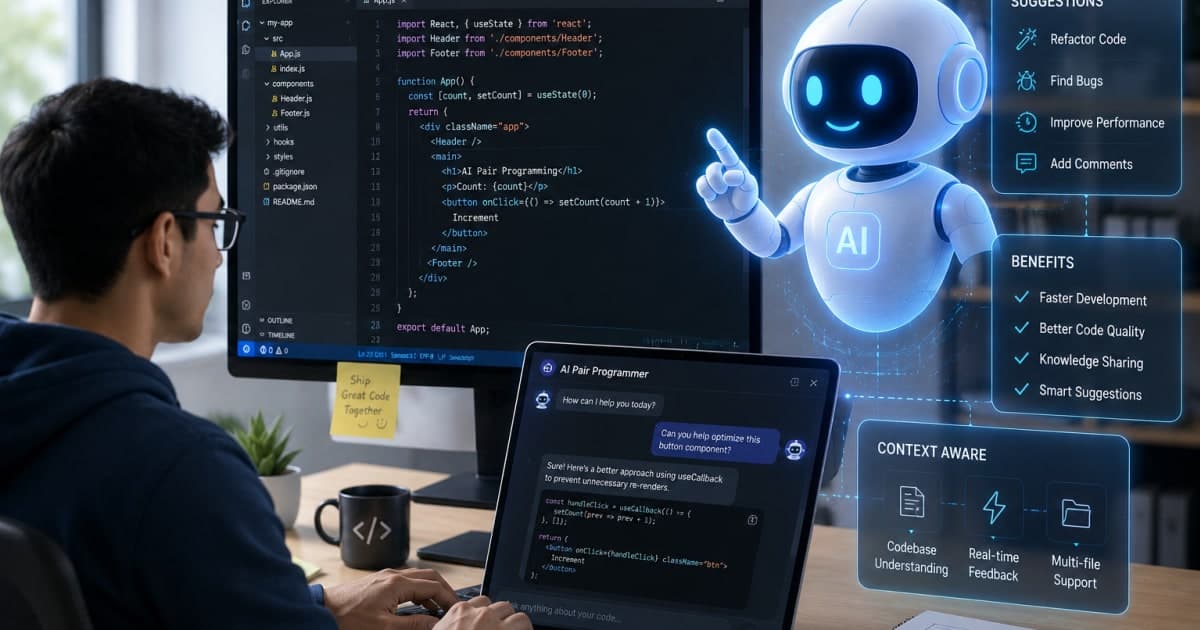
Traditional pair programming pairs two developers in the same physical or virtual space, taking turns at the keyboard while discussing design decisions. AI‑powered pair programming extends this practice by introducing an intelligent co‑developer that:
Suggests code snippets based on context and intent
Auto‑completes complex logic in real time
Provides instant documentation and style guidance
Detects potential bugs before they surface
The result is a dynamic duo where the human focuses on high‑level architecture and the AI handles repetitive coding tasks, error detection, and knowledge transfer. This synergy is especially valuable for distributed teams, junior developers, and projects with tight delivery schedules.
How Large Language Models Enable Real‑Time Collaboration
Contextual Understanding
LLMs are trained on massive code corpora spanning multiple languages and frameworks. They learn patterns, idioms, and best practices, allowing them to:
Infer the intent behind a comment or incomplete line
Predict the next block of code that logically follows
Recognize cross‑file dependencies and suggest relevant imports
Tip: When using an LLM, keep the context window short but rich. Include the surrounding function, relevant imports, and a brief comment on the desired outcome.
Live Interaction Protocols
To support real‑time collaboration, LLMs rely on lightweight communication protocols:
WebSocket for continuous, bidirectional data flow
RESTful endpoints for on‑demand suggestions
Language‑Server Protocol (LSP) extensions that let editors like VS Code or JetBrains receive AI hints as you type
These protocols allow the AI to respond within milliseconds, maintaining the rhythm of pair programming.
Fine‑Tuning for Domain‑Specific Knowledge
While general LLMs are powerful, fine‑tuning on a company’s codebase or domain can dramatically improve relevance:
Custom embeddings for proprietary libraries
Fine‑tuned prompts that reflect internal coding standards
Continuous learning from feedback loops (e.g., accepting or rejecting suggestions)
This process turns a generic model into a team‑specific partner that understands your unique style and constraints.
Key Features of AI‑Driven Pair Programming Tools
Below is a non‑exhaustive list of features that modern AI pair programming tools offer. Each feature is designed to keep the collaboration fluid and productive.
Context‑Aware Autocomplete
Generates code snippets that fit the current function signature and project conventions.Real‑Time Refactoring Suggestions
Detects anti‑patterns and proposes cleaner alternatives while you edit.Instant Documentation Generation
Creates JSDoc, Python docstrings, or Markdown README sections on the fly.Bug and Security Linting
Highlights potential runtime errors and security vulnerabilities as code is written.Code Review Assistance
Integrates with existing review workflows, providing a second pair of eyes that can catch issues early. (See AI‑Powered Code Review Tools: Boost Code Quality for more on how AI supports review processes.)Learning Mode
Allows junior developers to see the reasoning behind suggestions, fostering skill development.Custom Prompt Templates
Enables teams to set up domain‑specific prompts that guide the AI toward desired outcomes.Seamless Editor Integration
Plugins for VS Code, JetBrains, Sublime, and even command‑line editors.Privacy‑First Architecture
On‑premise or private‑cloud deployment options to keep sensitive code off public servers.
Benefits for Developers and Teams
Accelerated Development Velocity
AI pair programmers handle boilerplate and repetitive patterns, freeing developers to focus on complex logic. Studies have shown a 20–30% reduction in time to first commit when using AI assistance.
Consistency and Code Quality
By enforcing style guidelines and catching common bugs, AI tools help maintain a uniform codebase even when multiple contributors work on the same files.
Knowledge Transfer
The AI acts as a living documentation engine. Junior developers learn best practices by observing suggested patterns, while senior developers can offload routine tasks.
Reduced Cognitive Load
Writing code is mentally taxing. AI assistance reduces the number of mental steps required to translate an idea into code, lowering the risk of burnout.
Enhanced Collaboration Across Time Zones
With real‑time suggestions available from any location, distributed teams experience smoother handoffs. The AI can “stay in sync” even when team members are offline, providing context when they return.
Challenges, Risks, and Ethical Considerations
IssueImpactMitigation Overreliance on AI Developers may become less proficient in core conceptsEncourage periodic “AI‑free” coding sprints Security Concerns AI may inadvertently suggest insecure patternsIntegrate static analysis and security linting Data Privacy Code may be sent to third‑party servicesOpt for on‑premise or private‑cloud deployments Bias in Suggestions Models may favor certain frameworks or patternsFine‑tune with diverse codebases Intellectual Property Generated code might infringe on existing licensesUse open‑source‑compliant LLMs and monitor outputs
Tip: Maintain a code ownership policy that clearly defines how AI‑generated code is reviewed and integrated.
Implementation Guide: Integrating LLMs into Your Workflow
Below is a step‑by‑step guide that takes you from initial research to production deployment.
1. Define Your Use Cases
Feature‑Level Autocomplete: Quick code generation for common patterns.
Bug Fixing Assistance: AI suggests fixes for compiler errors or lint warnings.
Documentation: Auto‑populate comments and README sections.
2. Choose the Right Model
Open‑Source LLMs (e.g., Llama‑2, Mistral) for on‑premise control.
Commercial APIs (e.g., OpenAI, Anthropic) for rapid prototyping.
3. Set Up a Secure Environment
# Example: Spin up a private LLM server with Docker
docker run -d --name llm-server -p 8000:8000 \
  ghcr.io/meta-llama/llama-2-7b-chat:latest
Ensure the server is behind a firewall and only accessible to your CI/CD pipeline and IDE extensions.
4. Integrate with Your IDE
VS Code: Install the “AI Pair Programmer” extension.
JetBrains: Use the “CodeAssist” plugin.
Custom Integration: Use the LSP endpoint to send context and receive suggestions.
5. Fine‑Tune with Your Codebase
# Pseudo‑command for fine‑tuning
python finetune.py --model llama-2-7b-chat \
  --dataset my_repo_code.zip \
  --output_dir fine_tuned_llm
Iteratively test and refine the model until suggestions align with your coding standards.
6. Establish Review Workflows
Pull Request Templates: Add a section for AI‑generated notes.
Automated Linting: Run AI suggestions through a linter before merge.
Human Oversight: Require a developer to approve AI suggestions.
7. Monitor and Iterate
Track metrics: suggestion acceptance rate, bug count, time to merge.
Collect feedback: use a simple form or in‑IDE prompt to rate AI quality.
Retrain quarterly to keep up with evolving code patterns.
Future Trends and Emerging Technologies
1. Multi‑Modal AI Pair Programmers
Future models will combine code, natural language, and visual data (e.g., architecture diagrams) to provide richer context.
2. Adaptive Learning Loops
LLMs will continuously learn from real‑world usage, improving suggestions without explicit retraining.
3. Cross‑Language Collaboration
A single AI can switch between languages mid‑session, enabling polyglot teams to collaborate seamlessly.
4. AI‑Driven DevOps Integration
Automated deployment scripts and infrastructure-as-code generation will become standard, reducing the gap between development and operations.
5. Regulatory Compliance
With increasing AI regulation, tools will embed compliance checks (e.g., GDPR, data residency) directly into the suggestion pipeline.
Tip: Keep an eye on the latest AI regulation bills to ensure your tooling remains compliant. For a deeper dive, read The Impact of New AI Regulation Bills on Tech Companies.
Conclusion and Call to Action
AI‑powered pair programming is no longer a futuristic concept; it’s a practical, immediately deployable strategy that can transform how teams write code. By combining the strengths of human creativity with the speed and consistency of LLMs, organizations can:
Accelerate delivery timelines
Improve code quality
Foster continuous learning
Reduce developer fatigue
Take the first step today: evaluate your current IDE ecosystem, choose a model that fits your privacy needs, and pilot AI pair programming on a small project. Measure the impact, iterate, and scale.
Your next sprint could be the first where a human and an AI collaborate as true partners. Embrace the future of coding.
FAQs
Q1: Does AI pair programming replace human developers?
A1: No. AI assists by handling repetitive tasks and providing suggestions, but the human remains responsible for architecture, design decisions, and final code quality.
Q2: How do I ensure the AI doesn’t suggest insecure code?
A2: Integrate security linting and static analysis into the AI pipeline. Fine‑tune the model on secure coding practices and review AI outputs before merging.
Q3: Can I use a public LLM API for sensitive code?
A3: Public APIs pose privacy risks. For sensitive projects, opt for on‑premise or private‑cloud deployments that keep code in your own environment.
Q4: What if the AI’s suggestions conflict with our coding style?
A4: Customize the model with your team’s style guide, or use prompt engineering to enforce formatting rules. A review step ensures final compliance.
Q5: How do I measure the ROI of AI pair programming?
A5: Track metrics such as time to first commit, defect density, and developer satisfaction. Compare these against baseline data to quantify gains.