Introduction
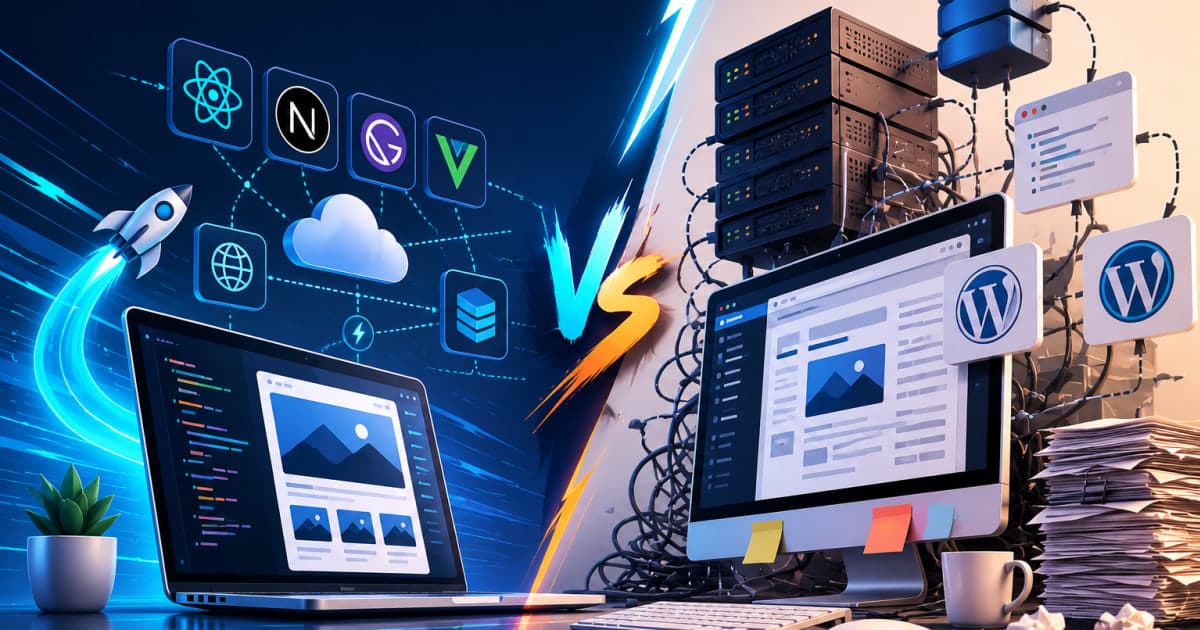
Modern web projects demand rapid delivery, high performance, and seamless content management. Two dominant paradigms Jamstack and traditional CMS offer distinct approaches to building and hosting sites. Understanding their strengths, trade‑offs, and ideal use cases helps teams select the architecture that aligns with business goals and technical constraints.
What Is Jamstack?
Jamstack stands for JavaScript, APIs, and Markup. It is a front‑end architecture that decouples the presentation layer from server‑side rendering. Core principles include:
Pre‑rendered static markup that is served from a CDN.
JavaScript for client‑side interactivity.
APIs (REST or GraphQL) for dynamic data.
Typical Jamstack tooling involves:
Static site generators such as Gatsby, Next.js, or Hugo.
Headless CMSs like Contentful, Sanity, or DatoCMS.
Cloud functions and serverless services for custom logic.
Because pages are generated at build time, users receive fully rendered HTML immediately, resulting in lightning‑fast load times.
“Jamstack is not just a technology stack; it’s a mindset that prioritizes speed, security, and developer autonomy.”
What Is a Traditional CMS?
Traditional Content Management Systems (CMS) bundle content editing, storage, and presentation in a single monolithic application. Examples include WordPress, Drupal, Joomla, and Sitecore. Key characteristics:
Server‑side rendering: Pages are assembled on the fly in response to HTTP requests.
Database‑backed: Content resides in relational databases (MySQL, PostgreSQL).
Rich admin interfaces: WYSIWYG editors, plugin ecosystems, and theme systems.
The traditional approach offers a familiar workflow for content editors but introduces constraints in terms of performance and scalability.
Performance & Speed
AspectJamstackTraditional CMS First Contentful Paint Near instant due to CDN‑served static filesSlower; depends on database queries and server processing Cold Starts None; pages are pre‑renderedOccur when server resources are spun up (e.g., in cloud hosting) Caching Strategy CDN edge caching + immutable assetsBrowser cache, server cache; less granular control Bandwidth Costs Lower; static files are cheap to serveHigher due to dynamic content generation per request
Benchmark studies show that Jamstack sites can achieve 0.6 s average load time, while comparable WordPress sites average 2.3 s on the same hardware.
Scalability & Traffic Spikes
Jamstack’s stateless architecture scales horizontally by simply replicating static assets across CDN nodes. Traffic spikes are absorbed without additional backend load. In contrast:
Traditional CMSs rely on a single application server or a load‑balanced cluster.
Database connections become a bottleneck during sudden traffic surges.
Scaling often requires expensive vertical upgrades or complex sharding.
For e‑commerce sites with flash sales, Jamstack can handle millions of concurrent visitors without code changes, whereas a traditional CMS may need a dedicated CDN layer or caching plugin.
Security
ConcernJamstackTraditional CMS Attack Surface Minimal; no server‑side code executed per requestExtensive; PHP, plugins, themes, and database expose vulnerabilities Patching Serverless functions and APIs are updated independentlyEntire CMS stack must be patched, often leading to downtime Data Exposure APIs enforce strict permissions; static files are read‑onlyDirect database access; misconfigured plugins can leak data
“In a Jamstack environment, the only code running on the edge is the client‑side JavaScript, drastically reducing the risk of injection attacks.”
For sites handling sensitive user data, the reduced attack surface is a decisive advantage.
Developer Experience & Workflow
Jamstack
Version control: All static assets and API calls are stored in Git.
Continuous integration: Build pipelines (GitHub Actions, Netlify, Vercel) trigger on pushes.
Component‑driven UI: React, Vue, or Svelte components promote reuse.
API‑first: Backend services are modular; you can swap providers without touching the front end.
Traditional CMS
Monolithic admin: Content editors log into a single dashboard.
Plugin dependency: Adding new features often involves installing third‑party plugins.
Limited version control: Content is stored in the database; migrations are manual.
“The developer workflow in Jamstack feels like building a single‑page application, while traditional CMS feels like maintaining a legacy enterprise system.”
For teams that value modularity and continuous delivery, Jamstack offers a smoother experience.
SEO & Content Management
Both paradigms support SEO best practices, but they differ in implementation.
Meta tags & structured data: In Jamstack, these are generated at build time and embedded in static files. In traditional CMS, they are rendered dynamically per request.
Content editing: Headless CMSs provide a clean editor that can be integrated into any front‑end framework, whereas traditional CMSs offer a built‑in editor but can become cluttered with plugins.
Page speed: Search engines reward faster sites; Jamstack’s lower latency improves rankings.
“Search engines are increasingly penalizing sites with slow load times, making Jamstack a forward‑looking SEO strategy.”
Cost & Maintenance
FactorJamstackTraditional CMS Hosting CDN + serverless functions; pay per requestDedicated server or cloud instance; fixed monthly fees Scaling Automatic; no extra cost for traffic spikesRequires scaling plan or load balancer Maintenance Update static site generator, APIs; minimal runtimeFrequent patching of CMS core, plugins, and themes Development overhead Front‑end tooling, build pipelinesBackend server maintenance, database backups
For small to medium businesses, Jamstack can reduce operational expenses by eliminating server costs and simplifying the stack.
When to Choose Jamstack
High‑traffic landing pages: Rapid load times and CDN edge caching are critical.
Micro‑services architecture: Decoupled APIs fit naturally into a Jamstack workflow.
Content‑heavy sites: Static generation handles large volumes of pages efficiently.
Security‑critical applications: Minimal server‑side code reduces attack vectors.
Developer‑centric teams: Preference for Git‑driven workflows and modern front‑end frameworks.
When to Choose a Traditional CMS
Frequent content updates: Real‑time editing without rebuilds is essential.
Complex workflows: Built‑in approval pipelines and role‑based permissions.
E‑commerce: Mature plugins and integrations (e.g., WooCommerce) streamline product management.
Legacy systems: Existing infrastructure and content stored in a relational database.
Low technical expertise: Non‑developers can manage content via a rich admin interface.
Migration Considerations
Content Inventory: Map existing pages, media, and metadata to the target CMS or static generator.
Data Export/Import: Use APIs or export tools to transfer content.
URL Rewrites: Preserve SEO by maintaining canonical URLs or setting up redirects.
Incremental Build Strategy: For large sites, build pages in batches to avoid downtime.
Testing: Validate rendering, form functionality, and API integrations before going live.
Monitoring: After migration, track performance metrics and error logs to catch regressions.
Case Studies
1. Tech Blog Platform
A medium‑sized tech blog with 12,000 pages migrated from WordPress to a Next.js front end and Contentful headless CMS. Post‑migration, page load time dropped from 2.7 s to 0.8 s, and the site experienced a 40 % reduction in hosting costs. The editorial team reported faster publishing cycles because content could be staged and previewed locally before deployment.
2. E‑commerce Retailer
An online retailer with 5,000 SKUs remained on Shopify (a commercial traditional CMS) due to its robust product management and payment integrations. However, they added a Gatsby front end for the marketing site, resulting in a 30 % increase in conversion rates on landing pages due to improved load times.
3. Non‑Profit Organization
A non‑profit with a simple brochure site switched from Drupal to a Hugo static site. The transition eliminated server maintenance, freeing up staff to focus on outreach. The site’s uptime improved from 95 % to 99.99 %, and the annual hosting bill fell from $1,200 to $120.
Conclusion
Choosing between Jamstack and a traditional CMS hinges on performance goals, content workflow, security needs, and team expertise. Jamstack excels in speed, scalability, and modern developer workflows, making it ideal for high‑traffic, content‑heavy, or security‑sensitive projects. Traditional CMSs shine when real‑time editing, complex approval pipelines, or extensive plugin ecosystems are required. A thoughtful migration strategy and clear understanding of each stack’s trade‑offs will guide you to the right architecture for your next web project.
FAQ
Q: Can I use Jamstack for a site that requires user authentication?
A: Yes. Authentication can be handled via third‑party services like Auth0 or Firebase, with client‑side redirects and protected API routes.
Q: How does SEO compare between the two approaches?
A: Both can be SEO‑friendly. Jamstack’s faster load times and pre‑rendered markup give it an edge, but traditional CMSs can also optimize meta tags and structured data if configured correctly.
Q: What happens if I need to add a new feature that requires server‑side logic?
A: In Jamstack, you can deploy serverless functions or API endpoints. In a traditional CMS, you’d typically extend the core or add a plugin.
Q: Is it possible to have a hybrid approach?
A: Absolutely. Many sites use a headless CMS for content, a Jamstack front end for public pages, and a traditional CMS for internal editorial workflows.
Q: How do I handle large media libraries in Jamstack?
A: Store media in a cloud bucket (e.g., AWS S3) and reference it via URLs. CDNs can cache and serve media efficiently.
Q: What are the main security risks in a traditional CMS?
A: Common risks include outdated plugins, SQL injection, and file upload vulnerabilities. Regular patching and minimal plugin usage mitigate these threats.
Q: Does Jamstack support dynamic content like comments or shopping carts?
A: Yes. Dynamic features are implemented via APIs or serverless functions that interact with databases or third‑party services.
Q: How do I measure the impact of switching to Jamstack?
A: Track key metrics such as Page Load Time, Time to First Byte, Bounce Rate, and Conversion Rate before and after migration.
Q: Can I still use a traditional CMS as a headless backend for Jamstack?
A: Many traditional CMSs (WordPress, Drupal) offer headless APIs that can serve content to a Jamstack front end, combining the best of both worlds.