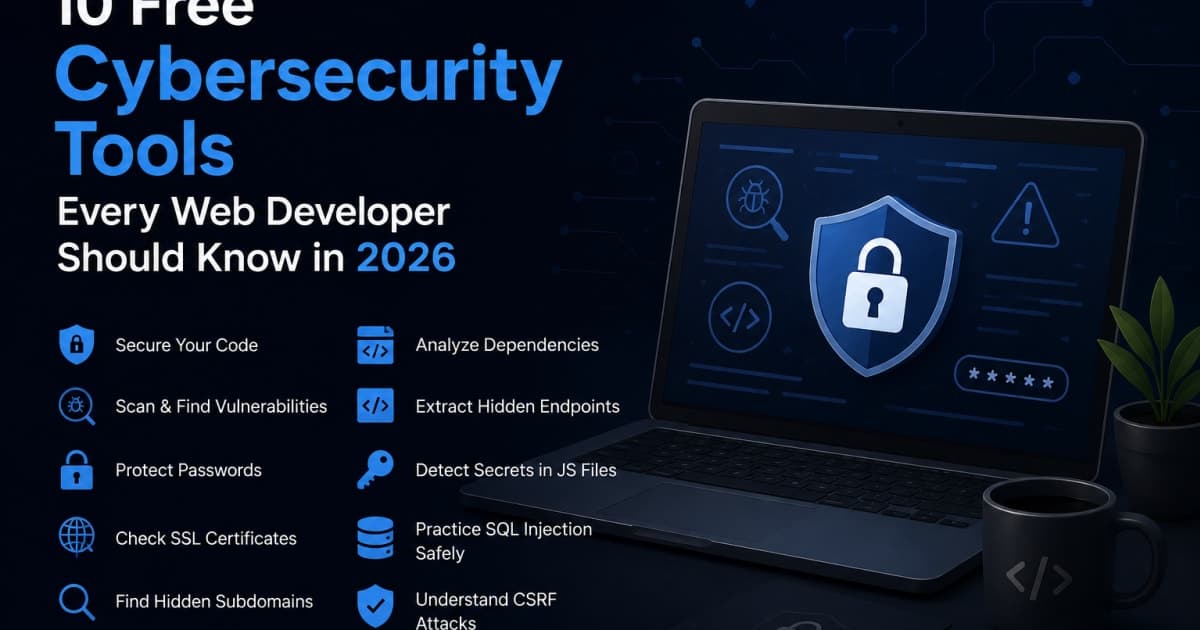
10 Free Cybersecurity Tools Every Web Developer Should Know in 2026
In 2026, the web landscape is more interconnected than ever, and with that comes an ever‑growing attack surface. Whether you’re building a new API, polishing a front‑end, or maintaining a legacy application, having a solid set of free, open‑source security tools at hand can save you from costly breaches. Below we break down ten indispensable tools, explain how they work, and show you how to integrate them into your workflow.
1. Hash Generator
What It Does
A hash generator transforms any input string into a fixed‑length hash value using cryptographic algorithms like SHA‑256 or MD5. These values are deterministic same input always yields same hash but are one‑way, making them ideal for data integrity checks, password storage (when salted), and digital signatures.
How to Use It
# Using a command‑line tool
echo -n "my_secret" | openssl dgst -sha256
The output will be a 64‑character hexadecimal string. In the browser, you can use online services that wrap this functionality behind a friendly UI.
Use Cases
Checksum verification when downloading libraries.
Password hashing before storing in a database (always combine with a salt).
Content fingerprinting to detect duplicate resources.
Tip: When dealing with password hashing, never use plain MD5 or SHA‑1. Use a key‑derivation function like bcrypt or Argon2 instead.
Tool Recommendation
If you need a quick, browser‑based solution, the free Hash Generator lets you choose the algorithm, input data, and view the result instantly. It also offers a JSON output format, so you can copy the hash into a config file without manual formatting.
2. Bcrypt Hash Generator
Why Bcrypt?
Bcrypt is a password‑hashing function that incorporates a salt and a configurable work factor (cost). It deliberately slows down hashing to thwart brute‑force attacks. In 2026, most security guidelines recommend bcrypt or Argon2 over legacy algorithms.
How to Use It
# Install the bcrypt library in Node.js
npm install bcrypt

# Generate a hash
node -e "
const bcrypt = require('bcrypt');
const password = 'myStrongPassword';
const saltRounds = 12;
bcrypt.hash(password, saltRounds, (err, hash) => {
  console.log(hash);
});
"
Key Parameters
Salt rounds: Determines the computational cost. A higher number means more security but slower hashing.
Salt: Random data that ensures identical passwords produce different hashes.
Integration Tips
Store only the hash, never the plain password.
Use a single salt per user rather than per password to reduce storage overhead.
Regularly audit your cost factor; if your infrastructure can handle 14 rounds, upgrade.
Tool Recommendation
The Bcrypt Hash Generator online tool allows you to input a password, set the cost factor, and instantly see the resulting hash. It also lets you paste the hash into a JSON config, which can be handy for testing or documentation.
3. Password Generator
The Need for Strong Passwords
Weak passwords are the single biggest vulnerability in web applications. A good password generator creates random, complex strings that resist dictionary and brute‑force attacks.
Features to Look For
Length: Minimum 16 characters for most modern applications.
Character set: Uppercase, lowercase, digits, and special characters.
Entropy estimation: Some tools display how many bits of entropy a password contains.
How to Generate
# Using the OpenSSL command line
openssl rand -base64 32
The command produces a 32‑byte random string encoded in Base64, which typically yields a 43‑character password.
Use Cases
Admin accounts for internal tools.
API keys for third‑party integrations.
Temporary passwords for password reset flows.
Tool Recommendation
For developers who prefer a GUI, the free Password Generator lets you set length, include or exclude ambiguous characters, and copy the result with a single click. It also supports exporting to JSON or plain text, which is handy for CI/CD pipelines.
4. SSL Certificate Checker
Why It Matters
An SSL/TLS certificate verifies the server’s identity and encrypts traffic. A misconfigured or expired certificate can expose sensitive data and erode user trust.
What to Check
Expiration date: Ensure it’s valid.
Chain of trust: Verify intermediate certificates.
Cipher suites: Confirm only strong ciphers are enabled.
Protocol versions: TLS 1.3 should be the minimum.
How to Use
# Quick check with openssl
openssl s_client -connect example.com:443 -servername example.com
Scroll to the Verify return code line. A 0 (ok) indicates a valid chain.
Tool Recommendation
The free SSL Certificate Checker provides a web UI where you can paste a domain, and it will display:
Expiration date
Certificate chain
Supported protocols
Cipher suite list
It also offers a JSON output so you can integrate the results into monitoring dashboards.
5. Subdomain Finder
The Attack Surface
Subdomains often host legacy services, staging environments, or internal tools. Discovering them can reveal hidden entry points.
Techniques
DNS zone transfer (AXFR) – only works if misconfigured.
Brute‑force wordlists – try common prefixes.
Search engines – Google dorking for
site:example.com -www.Passive DNS – services that log historical records.
How to Use
# Using subfinder (a popular open‑source tool)
subfinder -d example.com -o subdomains.txt
Integration
Add the output to your CI pipeline to flag new subdomains and trigger security scans.
Tool Recommendation
The Subdomain Finder online tool accepts a domain and returns a list of discovered subdomains. It supports exporting to JSON and can be queried programmatically via a simple REST endpoint.
Tip: Combine the results with the JSON Formatter to pretty‑print the output before further processing.
6. Dependency Security Scanner
Why Scan Dependencies?
Modern web applications rely on hundreds of npm, Maven, or pip packages. Each dependency can introduce known vulnerabilities if not updated.
Popular Scanners
npm audit – built into npm.
OWASP Dependency‑Check – supports multiple ecosystems.
Snyk – free tier for open‑source projects.
GitHub Dependabot – automated pull requests for updates.
How to Run
# Using npm audit
npm audit --json > audit-report.json
Parse audit-report.json to identify high‑severity issues.
Automation
Add the audit step to your CI pipeline. If any critical vulnerability is found, block the merge until it’s resolved.
Tool Recommendation
The Dependency Security Scanner offers a browser interface where you can upload a package-lock.json or pom.xml file, and it will return a detailed report in JSON, CSV, or HTML. It also highlights the severity level and provides remediation links.
7. JS Endpoint Extractor
What It Does
Many single‑page applications (SPAs) fetch data from REST or GraphQL endpoints. The JS Endpoint Extractor scans JavaScript bundles to discover hard‑coded URLs, API keys, or other secrets.
How It Works
Static analysis: Parses the source code or minified bundle.
Regex matching: Looks for patterns like
https?://or/api/.Output: List of URLs, file locations, and line numbers.
Use Cases
Security review: Ensure no sensitive endpoints are exposed.
Performance tuning: Identify redundant or legacy endpoints.
Documentation: Generate an API map for developers.
Tool Recommendation
The JS Endpoint Extractor can be run locally or as a GitHub Action. It accepts a directory of JavaScript files and outputs a JSON file that can be fed into your documentation generator.
Tip: If your project uses TypeScript, run the extractor on the compiled JavaScript to avoid source‑map noise.
8. JS Secret Scanner
Why Scan for Secrets
Developers often leave API keys, tokens, or passwords in code accidentally. Even a single exposed secret can compromise an entire service.
How It Works
Regex patterns for common secrets (AWS keys, GCP service accounts, JWTs).
Entropy checks to filter out low‑entropy strings.
Context awareness to avoid false positives on legitimate data.
Integration
Run the scanner as part of pre‑commit hooks or CI jobs. If a secret is detected, fail the build and alert the author.
Tool Recommendation
The JS Secret Scanner is a lightweight CLI tool that scans all .js and .ts files in a repository. It outputs a JSON summary with file names, line numbers, and the type of secret found. You can pipe this output into the JSON Formatter for better readability.
Tip: Combine the scanner with the JWT Decoder to verify that any discovered JWTs are valid and not expired.
9. SQL Injection Playground
Purpose
A sandbox environment where developers can practice crafting and detecting SQL injection (SQLi) payloads without risking a production database.
Features
Multiple database engines (MySQL, PostgreSQL, SQLite).
Parameterized query examples versus vulnerable code snippets.
Real‑time feedback on payload success or failure.
Learning resources embedded in the UI.
How to Use
# Run the playground locally
docker run -d -p 8080:8080 sql-injection-playground
Navigate to http://localhost:8080 and experiment with the provided examples.
Learning Path
Identify vulnerable code: Look for string concatenation in queries.
Craft payload: Use classic payloads like
' OR '1'='1.Mitigate: Switch to prepared statements or ORM methods.
Tool Recommendation
The free SQL Injection Playground is open‑source and can be cloned from GitHub. It includes a Stopwatch feature to measure how long a query takes, highlighting performance differences between vulnerable and secure queries.
10. CSRF Playground
What Is CSRF?
Cross-Site Request Forgery tricks a user's browser into sending a request to a site where they are authenticated, potentially performing unwanted actions.
Playground Features
Simulated web app with login and state-changing endpoints.
CSRF attack simulation to understand how forged requests can be triggered.
Anti-CSRF token protection showing how unique tokens prevent unauthorized requests.
Protected vs. unprotected requests for easy comparison.
Interactive request inspector to see the request method, parameters, cookies, and CSRF token.
Bank-style simulation demonstrating a realistic state-changing action.
Real-time result feedback showing whether the request was accepted or blocked.
Fully client-side — no real accounts, payments, or external websites are involved.
Safe learning environment designed for cybersecurity education and testing.
Beginner-friendly explanations of CSRF, tokens, and browser authentication.
How It Works
The playground provides two simulated scenarios:
1. Vulnerable Request
The simulated application accepts a state-changing request without verifying a CSRF token.
2. Protected Request
The application requires a valid CSRF token before accepting the request.
This lets developers visually understand why CSRF occurs and how CSRF token protection prevents it.
Why Use This Tool?
CSRF can be difficult to understand from theory alone. The playground provides an interactive environment where developers and security learners can see the difference between a vulnerable request and a properly protected request.
Note: This playground is intended for educational purposes and uses a simulated environment. No real websites or user accounts are attacked.