Introduction
Ever hit submit, lost the network, and your data vanished?
I’ve been there. Late‑night coffee, a half‑written note, and then buzzz no connection.
That’s why offline‑first feels like a lifesaver.
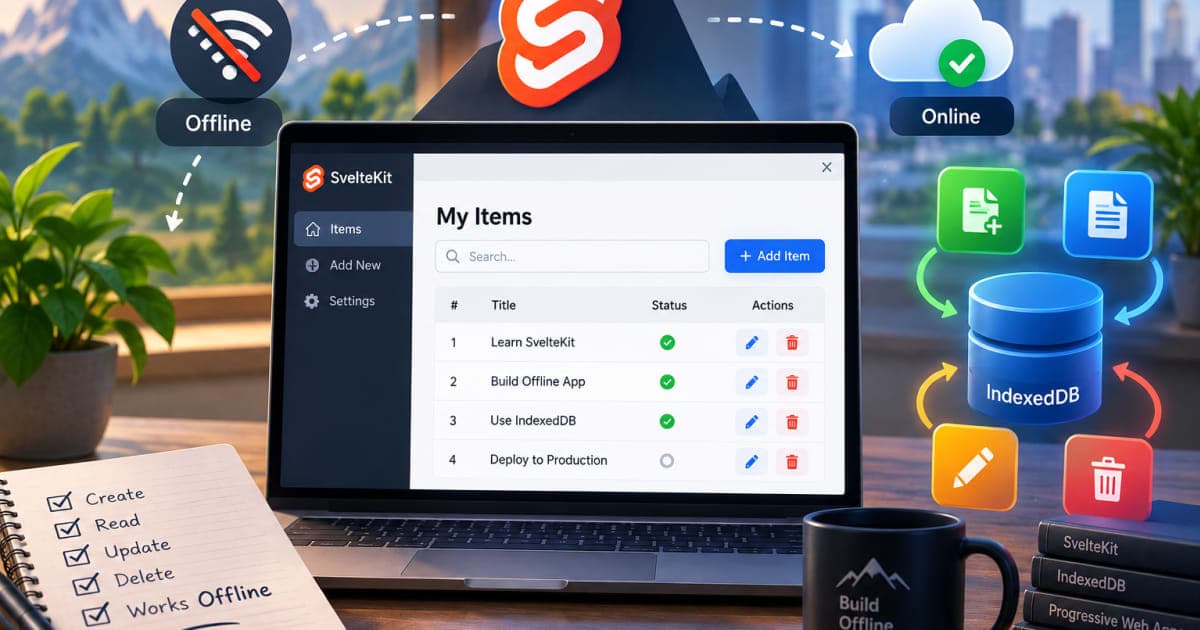
I’ll walk you through building CRUD that lives in the browser with IndexedDB, then syncs to a server when the net returns.
All inside SvelteKit, the framework I use for most of my projects.
Understanding the Offline‑First Paradigm
Look, offline‑first means you build the app as if the device can always work.
You store data locally, show it immediately, and only later push changes to the cloud.
If the network drops, nothing breaks; the user still sees their data.
This pattern is a must for field workers, note‑taking apps, or any app that runs on flaky connections.
Think of a warehouse inventory app that must still add items when the scanner’s offline.
When the network returns, it syncs the changes automatically.
Getting Started with SvelteKit
First, let’s create a fresh SvelteKit project.
npm init svelte@next my-offline-app
cd my-offline-app
npm install
npm run dev
You’ll see a demo page at http://localhost:5173.
That’s our starting canvas.
IndexedDB Basics for the Uninitiated
IndexedDB is the browser’s built‑in NoSQL store.
It’s async, key‑value, and supports transactions.
Unlike localStorage, it can hold large blobs and complex objects.
A quick example to open a database:
// Wrong: using a string for the version number
const db = await indexedDB.open('mydb', '1'); // ❌

 // Correct
const db = await indexedDB.open('mydb', 1); // ✅
If you pass a string as the version, the browser throws TypeError: Failed to construct 'IDBDatabase'.
Always use a number.
Creating a Reusable IndexedDB Wrapper
I built a tiny wrapper so I can call db.put() instead of writing the boilerplate each time.
// db.js
export async function openDB(name, storeName) {
  return new Promise((resolve, reject) => {
    const request = indexedDB.open(name, 1);
    request.onupgradeneeded = () => {
      const db = request.result;
      if (!db.objectStoreNames.contains(storeName)) {
        db.createObjectStore(storeName, { keyPath: 'id', autoIncrement: true });
      }
    };
    request.onsuccess = () => resolve(request.result);
    request.onerror = () => reject(request.error);
  });
}

export async function put(store, item) {
  const db = await openDB('mydb', store);
  return new Promise((resolve, reject) => {
    const tx = db.transaction(store, 'readwrite');
    const req = tx.objectStore(store).put(item);
    req.onsuccess = () => resolve(req.result);
    req.onerror = () => reject(req.error);
  });
}
Now I can call put('notes', { title: 'Test', content: 'Hello' }) from anywhere.
Implementing CREATE (Add) Operations
When a user writes a new note, we want to store it locally and schedule a sync.
// Wrong: trying to use await inside a non‑async function
function addNote(note) {
  await put('notes', note); // ❌
}
The error here is Missing async; you’ll see ReferenceError: await is only valid in async functions.
// Correct
async function addNote(note) {
  try {
    const id = await put('notes', note);
    console.log('Saved locally', id);
  } catch (e) {
    console.error('Failed to save', e);
  }
}
Now the note appears instantly in the UI because the DB write succeeded.
If the network is down, we’ll sync later.
Implementing READ (Retrieve) Operations
Fetching all notes is similar.
// Wrong: forgetting to close the cursor
async function getAllNotes() {
  const db = await openDB('mydb', 'notes');
  const tx = db.transaction('notes', 'readonly');
  const store = tx.objectStore('notes');
  const notes = [];
  const cursor = store.openCursor();
  cursor.onsuccess = () => {
    if (cursor.result) {
      notes.push(cursor.result.value);
      cursor.result.continue(); // ❌ missing this line
    }
  };
  return notes; // ❌ returns before cursor completes
}
You’ll get an empty array because the cursor never advances.
// Correct
async function getAllNotes() {
  const db = await openDB('mydb', 'notes');
  const tx = db.transaction('notes', 'readonly');
  const store = tx.objectStore('notes');
  const notes = [];
  return new Promise((resolve, reject) => {
    const cursor = store.openCursor();
    cursor.onsuccess = (e) => {
      const c = e.target.result;
      if (c) {
        notes.push(c.value);
        c.continue();
      } else {
        resolve(notes);
      }
    };
    cursor.onerror = (e) => reject(e.target.error);
  });
}
Now getAllNotes() returns a full array of notes.
Implementing UPDATE (Edit) Operations
Updating a note requires you to know its id.
// Wrong: using put instead of get + put
async function updateNote(id, newContent) {
  const note = await get(id); // ❌ get not defined
  note.content = newContent;
  await put('notes', note); // ✅
}
The error is a missing get function.
Let’s write it:
async function get(id) {
  const db = await openDB('mydb', 'notes');
  return new Promise((resolve, reject) => {
    const request = db.transaction('notes', 'readonly')
      .objectStore('notes')
      .get(id);
    request.onsuccess = () => resolve(request.result);
    request.onerror = () => reject(request.error);
  });
}

async function updateNote(id, newContent) {
  const note = await get(id);
  if (!note) throw new Error('Not found');
  note.content = newContent;
  await put('notes', note);
}
Now the update works, and the UI reflects the change instantly.
Implementing DELETE (Remove) Operations
Deletion is straightforward, but you must handle errors.
// Wrong: not checking if the key exists
async function deleteNote(id) {
  const db = await openDB('mydb', 'notes');
  const tx = db.transaction('notes', 'readwrite');
  const store = tx.objectStore('notes');
  const req = store.delete(id); // ❌
  req.onsuccess = () => console.log('Deleted');
}
If the key doesn’t exist, you’ll get DOMException: The key does not exist in the object store.
Better:
async function deleteNote(id) {
  const db = await openDB('mydb', 'notes');
  const tx = db.transaction('notes', 'readwrite');
  const store = tx.objectStore('notes');
  return new Promise((resolve, reject) => {
    const req = store.delete(id);
    req.onsuccess = () => resolve();
    req.onerror = () => reject(req.error);
  });
}
Now deletion returns a promise that resolves when the operation completes.
Syncing Local Changes with a Remote API
Once the network is back, we push queued changes.
I keep a simple “sync queue” in IndexedDB.
// syncQueue.js
export async function enqueue(action) {
  await put('syncQueue', action);
}
When adding, updating, or deleting, we also push an action.
async function addNote(note) {
  const id = await put('notes', note);
  await enqueue({ type: 'create', id, data: note });
}
The sync worker runs in the background.
// sync.js
import { openDB } from './db';
import { enqueue } from './syncQueue';

async function syncLoop() {
  const db = await openDB('mydb', 'syncQueue');
  const tx = db.transaction('syncQueue', 'readwrite');
  const store = tx.objectStore('syncQueue');
  const cursor = store.openCursor();
  cursor.onsuccess = async (e) => {
    const c = e.target.result;
    if (!c) return;
    const action = c.value;
    try {
      await fetch('/api/sync', { method: 'POST', body: JSON.stringify(action) });
      c.delete(); // remove after successful sync
    } catch (err) {
      console.warn('Sync failed, will retry', err);
    }
  };
}
setInterval(syncLoop, 10000); // every 10 seconds
If the API rejects, the action stays in the queue and we retry later.
Testing Offline Functionality
I use Chrome’s DevTools to toggle offline mode.
Open the console, click the “Network” tab, check “Offline”, then try adding a note.
You’ll see the note appear, and the sync queue grows.
When I toggle back online, the sync worker picks up the queued actions and pushes them.
You can inspect the network panel to confirm POST requests hit /api/sync.
Deployment & Deployment Tips
Deploying a SvelteKit app is simple.
npm run build
npm run preview
If you host on Vercel or Netlify, just push your repo; they run npm run build automatically.
Security tip: Never expose your IndexedDB data to the network.
All sync payloads should be signed, and you should validate on the server side.
Use JWT Decoder to inspect tokens if you’re sending them.
Also, for mobile, consider pairing with Android 14 WorkManager Background Location Battery Saving if you’re syncing in the background.
Quick Summary
Offline‑first keeps UI responsive even without a network.
IndexedDB is the browser’s native store; wrap it for clean code.
CRUD operations need careful cursor handling and error checks.
A sync queue ensures data eventually reaches your server.
Test offline by toggling devtools; watch the sync worker.
I’ve seen projects that went from buggy to silky smooth just by moving CRUD offline‑first.
Give it a try; your users will thank you.
FAQs
Why does IndexedDB give me “Quota exceeded” errors?
Browsers limit the amount of storage a site can use. Check the console forQuotaExceededError. UseindexedDB.deleteDatabase()to clear old data or ask users to free up space.Can I use localStorage instead of IndexedDB?
localStorage is synchronous and capped at ~5 MB. For complex data or larger apps, IndexedDB is the right choice.How do I handle conflicts when the same record is edited offline and online?
Implement a conflict‑resolution strategy, e.g., last‑write‑wins or merge prompts. Store alastModifiedtimestamp in each record.